Quick file inspection
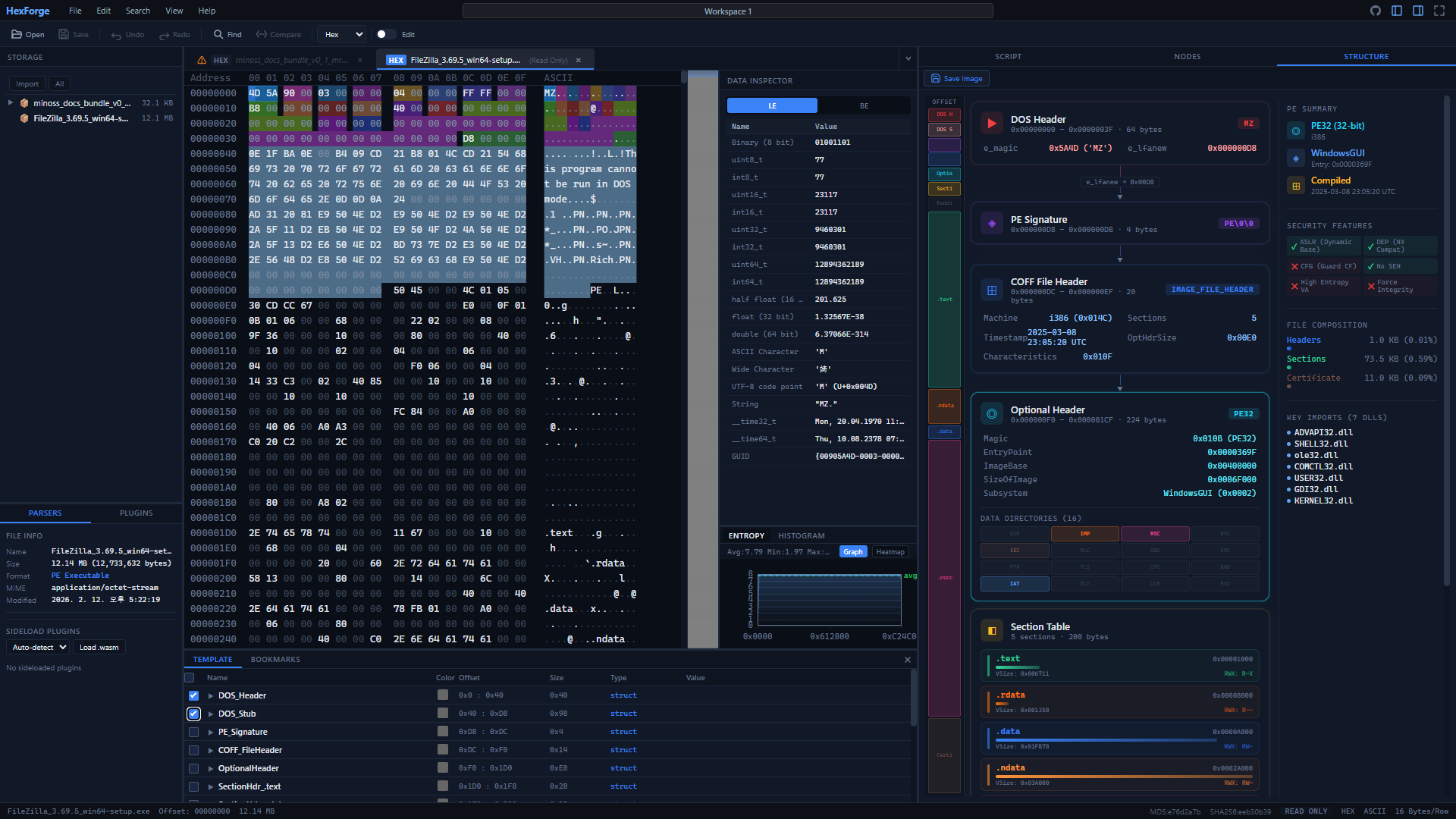
Need to inspect a file's headers, check entropy, or extract strings? Drop the file into HexForge and get results instantly — no setup needed.
Open-source binary analysis tool with structure parsing, entropy visualization, and a plugin ecosystem.
No install, no signup — just open and start.
Browse and edit binary files with a responsive hex view, cursor navigation, and data inspector.
Built-in PE, ELF, ZIP parsers and a JS template engine for custom file formats.
Canvas-based entropy map to spot compressed, encrypted, or packed regions at a glance.
Extend with community WASM plugins for templates, extractors, and data processors.
Traditional hex editors require licenses, installs, and setup. HexForge takes a different approach.
Commercial hex editors often require annual licenses that can cost hundreds per seat.
MIT open source
Free for personal and commercial use. No license keys, no seat limits. View source on GitHub.
Installing a desktop hex editor often requires downloads, admin rights, and configuration.
Open a URL and start
Runs directly in Chrome, Edge, or Firefox. No installer, no admin rights, works on any machine with a browser.
Extending functionality often means learning proprietary scripting or waiting for vendor updates.
Script console & plugins
Write JavaScript scripts with the hf API, or install WASM plugins from the marketplace to add new parsers and tools.
Built for security researchers, CTF players, reverse engineers, and developers.
Need to inspect a file's headers, check entropy, or extract strings? Drop the file into HexForge and get results instantly — no setup needed.
Complex binary formats are hard to reason about in raw hex. Use the built-in node graph to visually map file structures and trace data flows.
The built-in script console lets you automate analysis with a JavaScript API. Read bytes, highlight regions, calculate hashes, search patterns, and build custom file parsers.
Each approach has trade-offs. Here's how they differ.
| Feature |
|
Desktop Hex Editors |
|---|---|---|
| Cost | Free (MIT license) | Free to $400+/year |
| Platform | Any modern browser | Windows / macOS / Linux |
| Installation | None (web app / PWA) | Download & install required |
| File privacy | Files stay in browser (no upload) | Local processing |
| Structure parsing | PE, ELF, ZIP + JS templates | Varies by tool |
| Extensibility | WASM plugins + JS scripts | Proprietary scripting or plugins |
| Very large files (4GB+) | Browser memory limits apply | Native memory access |
Comparison based on general characteristics. Specific features vary by product. HexForge is best suited for quick analysis tasks and collaborative workflows.
HexForge is developed by NuriLab, a cybersecurity research company specializing in malware analysis and binary forensics. We built HexForge because we needed a fast, accessible hex editor for daily security research — and decided to open-source it so everyone can benefit.
The project is MIT-licensed and hosted on GitHub. Contributions, bug reports, and feature requests are welcome.
Nothing to install. Nothing to pay.
Open your browser and go.
No signup required · Offline PWA support · Your files never leave your browser
Launch HexForge →